
Character Consistency in AI Art: A Complete Guide
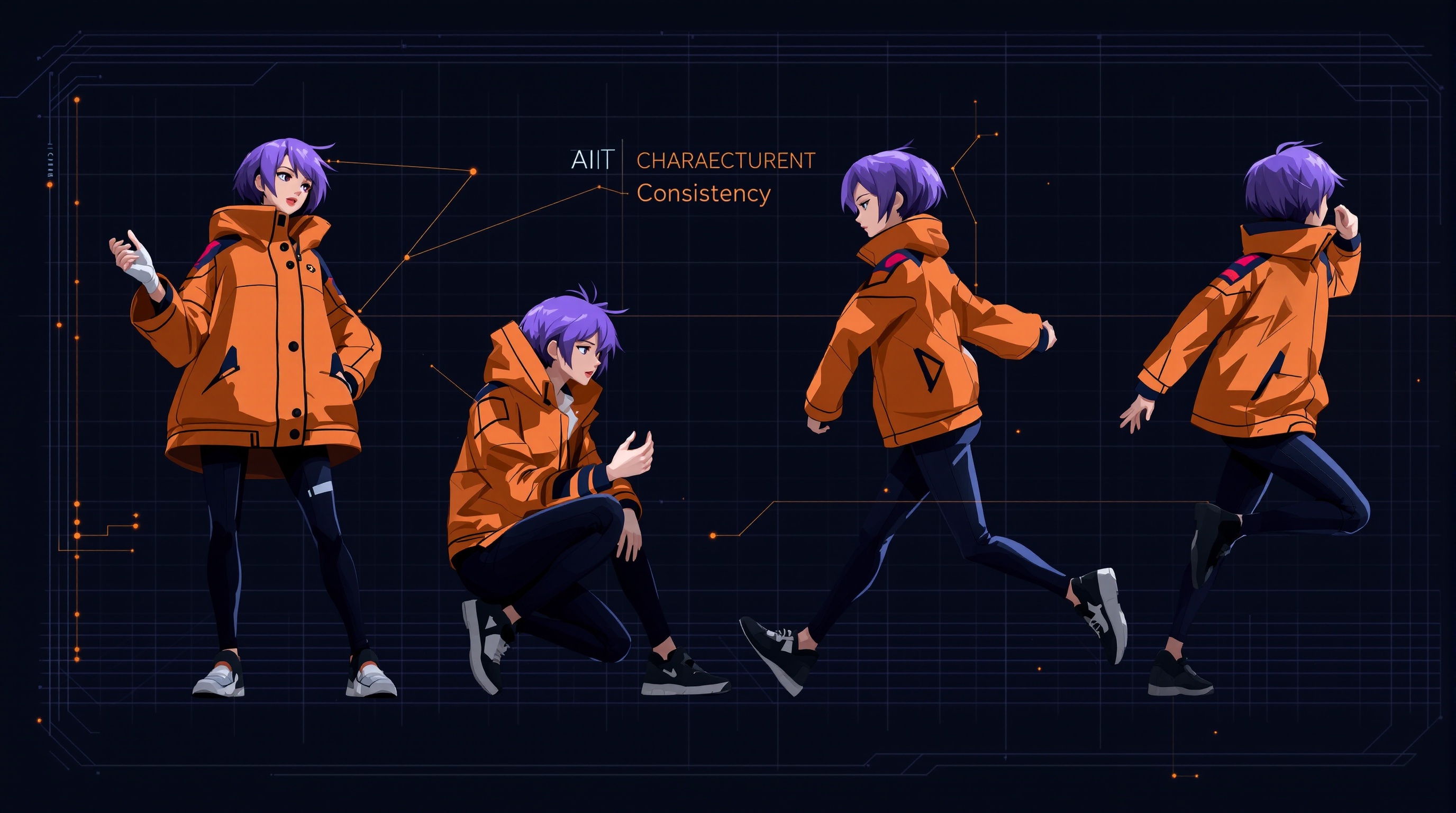
One of the biggest challenges in AI art is maintaining character consistency across multiple images. Whether you're creating a comic, building a brand mascot, or developing a visual novel, keeping your character recognizable from image to image requires specific techniques. This guide covers everything you need to know.
Why Character Consistency Is Hard
AI image generators create each image independently—they don't "remember" previous generations. Every time you run a prompt, the AI interprets it fresh, leading to variations in facial features, body proportions, clothing details, and overall style. Without proper techniques, your blonde warrior might become a redhead archer in the next scene.
The Character Bible Approach
Before generating any images, create a detailed character document that includes:
- Physical attributes: Height, build, skin tone, hair color/style, eye color
- Distinguishing features: Scars, birthmarks, tattoos, accessories
- Clothing signature: A specific outfit or clothing style that appears consistently
- Color palette: 3-5 colors associated with the character
- Art style: The specific aesthetic (anime, photorealistic, painterly, etc.)
This document becomes your reference for crafting consistent prompts.
The Anchor Feature Method
Choose 2-3 highly distinctive features that appear in EVERY prompt:
- A unique physical trait (heterochromia, distinctive scar, unusual hair color)
- A signature accessory (specific jewelry, hat, weapon)
- A color association (always wears red, blue lighting, etc.)
Example: "Young woman with silver hair in twin braids, violet eyes, wearing a golden crescent moon pendant"
These anchors help the AI "lock on" to your character across generations.
Platform-Specific Consistency Tools
Midjourney Techniques
- Character Reference (--cref): Upload a reference image of your character. Use
--cref [URL] --cw 100for strong face consistency. - Style Reference (--sref): Maintain consistent art style across images.
- Seed Locking: Use
--seed [number]to influence consistency (not perfect but helpful). - Consistent Prompt Structure: Keep your prompt order and wording identical.
Stable Diffusion / SDXL Techniques
- LoRA Training: Train a custom LoRA on 10-20 images of your character for near-perfect consistency.
- IP-Adapter: Use image prompting to inject character reference into generations.
- Textual Inversion: Create an embedding that represents your character.
- ControlNet: Use pose and face reference images for structural consistency.
FLUX Techniques
- Detailed Descriptions: FLUX responds well to very specific physical descriptions.
- Reference Injection: Some FLUX implementations support image references.
- Consistent Phrasing: Use identical descriptor phrases across prompts.
The Multi-Shot Character Sheet
Create a character reference sheet in a single generation:
"Character sheet of [detailed description], multiple angles showing front view, side profile, three-quarter view, full body, close-up face, consistent lighting, white background, concept art style"
This gives you a visual reference for future prompts and can be used as input for reference tools.
Prompt Template for Consistency
Structure your prompts identically each time:
- Character identifier: [Name/descriptor]
- Core features: [Hair, eyes, skin, build]
- Signature elements: [Always-present accessories/clothing]
- Current scene: [What's happening now]
- Style markers: [Art style, lighting, mood]
Template: "[Character name], [core features], wearing [signature outfit], [current action/scene], [style descriptors]"
Common Consistency Killers
Avoid these mistakes:
- Changing prompt order between generations
- Using synonyms (switching between "golden hair" and "blonde locks")
- Vague descriptions ("attractive woman" vs. specific features)
- Different aspect ratios changing body proportions
- Inconsistent style keywords
The Reference Image Workflow
- Generate base image: Create your ideal character design
- Document everything: Note the exact prompt, seed, and settings
- Create variations: Use img2img or character reference with slight prompt changes
- Build a reference library: Save successful generations for future use
- Use as input: Apply reference images in new scenes
Maintaining Style Consistency
Beyond the character itself, maintain visual style:
- Use identical style keywords every time
- Keep lighting direction consistent
- Maintain the same color grading approach
- Use consistent camera angles/framing terminology
Handling Different Poses and Angles
When changing poses, keep everything else constant:
Front view: "[Character], [features], facing forward, direct gaze, [style]"
Profile: "[Character], [features], side profile, looking right, [style]"
Action pose: "[Character], [features], running/fighting/etc., dynamic pose, [style]"
Quality Control Checklist
Before accepting a generation, verify:
- Hair color and style matches
- Eye color is correct
- Skin tone is consistent
- Signature accessories are present
- Clothing matches your established design
- Art style matches previous images
- Body proportions are similar
Building Your Character Library
Create organized folders:
/Character_Name/References/- Base design images/Character_Name/Expressions/- Different emotions/Character_Name/Poses/- Action shots/Character_Name/Scenes/- Story moments/Character_Name/Prompts.txt- All successful prompts
Advanced: Training Custom Models
For ultimate consistency, consider:
- LoRA training: 15-30 diverse images of your character
- DreamBooth: Fine-tune a model on your character
- Textual Inversion: Lighter-weight embedding approach
These require more technical setup but offer the best long-term consistency.
Conclusion
Character consistency in AI art requires intentional effort, but it's absolutely achievable. Start with a detailed character bible, use anchor features, leverage platform-specific tools, and maintain rigid prompt structure. With practice, you'll create characters that remain recognizable across any scene or situation.